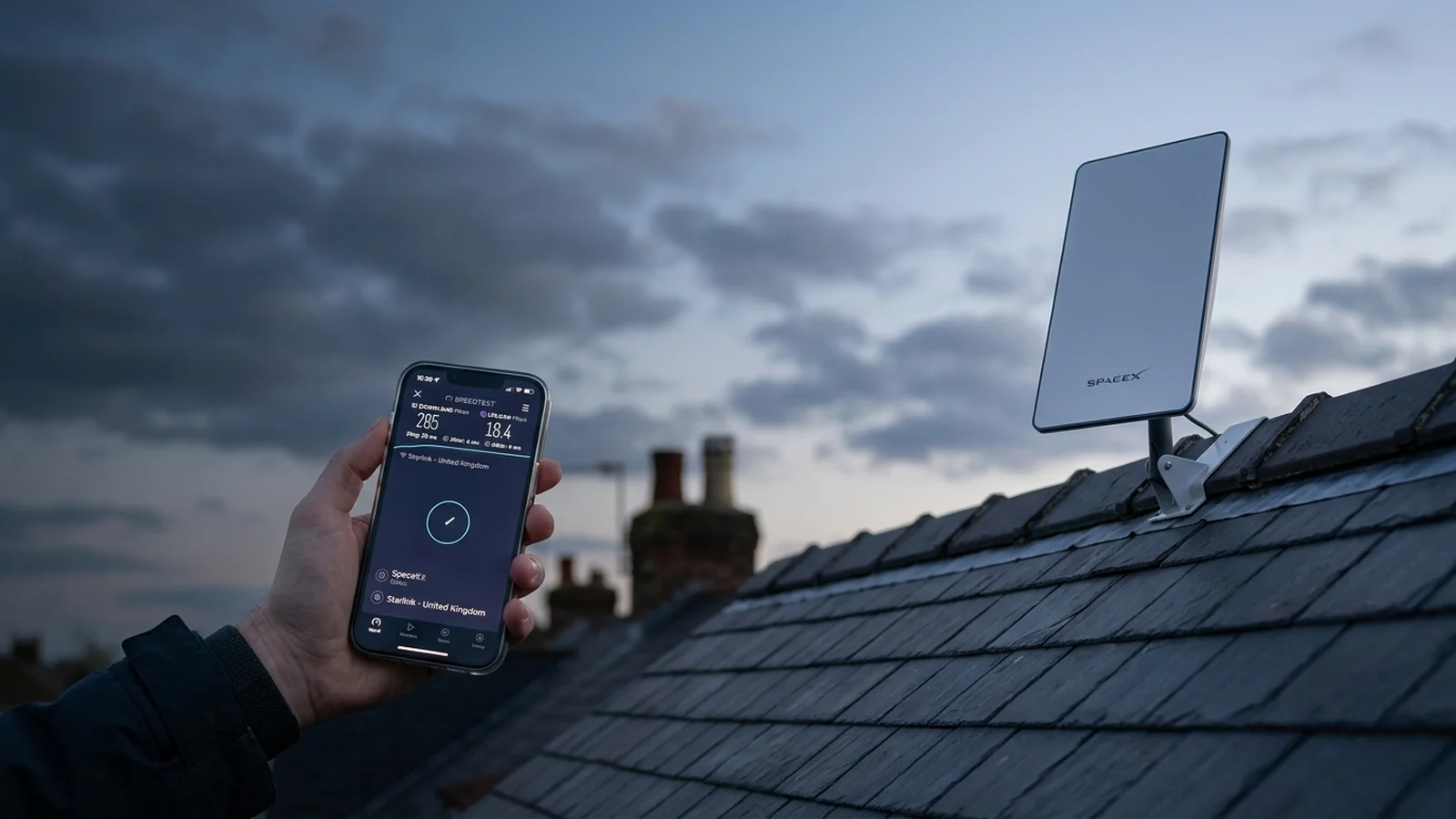

Starlink Internet Installation SpaceX Gen 3 Rural Specialists
Professional SpaceX Starlink satellite broadband installation. Heavy-duty storm-proof chimney and roof mounts, clean UV-rated Cat6 external cabling, and whole-home mesh Wi-Fi for 150–350Mbps speeds.
“Friendly, knowledgeable and tidy install. Gary knows his craft inside out — transparent pricing, spotless work and tested to perfection.”
Verified Customer • Checkatrade ReviewStarlink Installer Near Me: Local Starlink Engineers & Installers
Looking for a trusted Starlink installer near you? Gary Pearce is a certified Starlink installer. He provides expert installation across the UK. Gary surveys sky clearance, fits storm-rated non-drill mounts. tests high-speed 150–250 Mbps connections on the day. Your local Starlink installer ensures fast satellite broadband in every room before leaving.
Upfront Fixed Pricing
We agree on the full price before any work begins on your home. Our standard Starlink installation starts from £199+VAT fitted when you supply your equipment, or £249+VAT when Gary supplies the bracket and cable. There are no surprise fees, hidden ladder costs, or extra call-out charges. Your Starlink installer guarantees fixed pricing on every installation.
- ✓backed fixed quote with zero hidden travel charges.
- ✓Complete bracketry, cable routing. silicone seals.
- ✓SpaceX app setup and speed test included.
90mph Storm-Proof Mounting
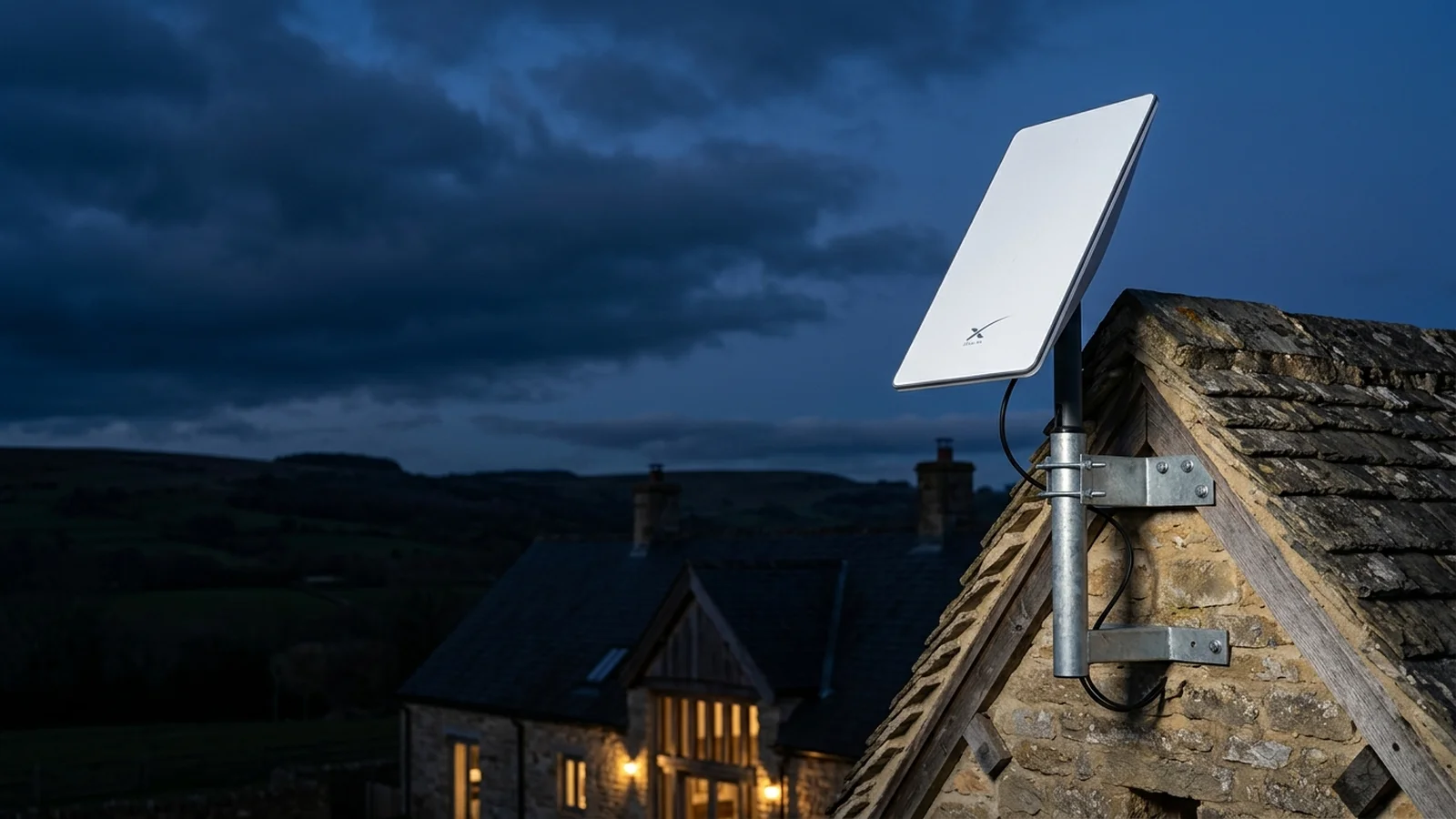
We fit heavy solid steel mounts. We use twin stainless steel lashing wires around chimney stacks. As your local Starlink installer, Gary uses non-drill cradles. These protect historic stone walls in 90mph Pennine gales. Every dish installation stays firmly aligned.
- ✓Heavy solid cradles with zero masonry drilling.
- ✓Twin stainless steel wire ropes around chimney stacks.
- ✓Engineered for exposed Pennine winds and winter storms.
Whole-Home Wi‑Fi & Mesh Setup
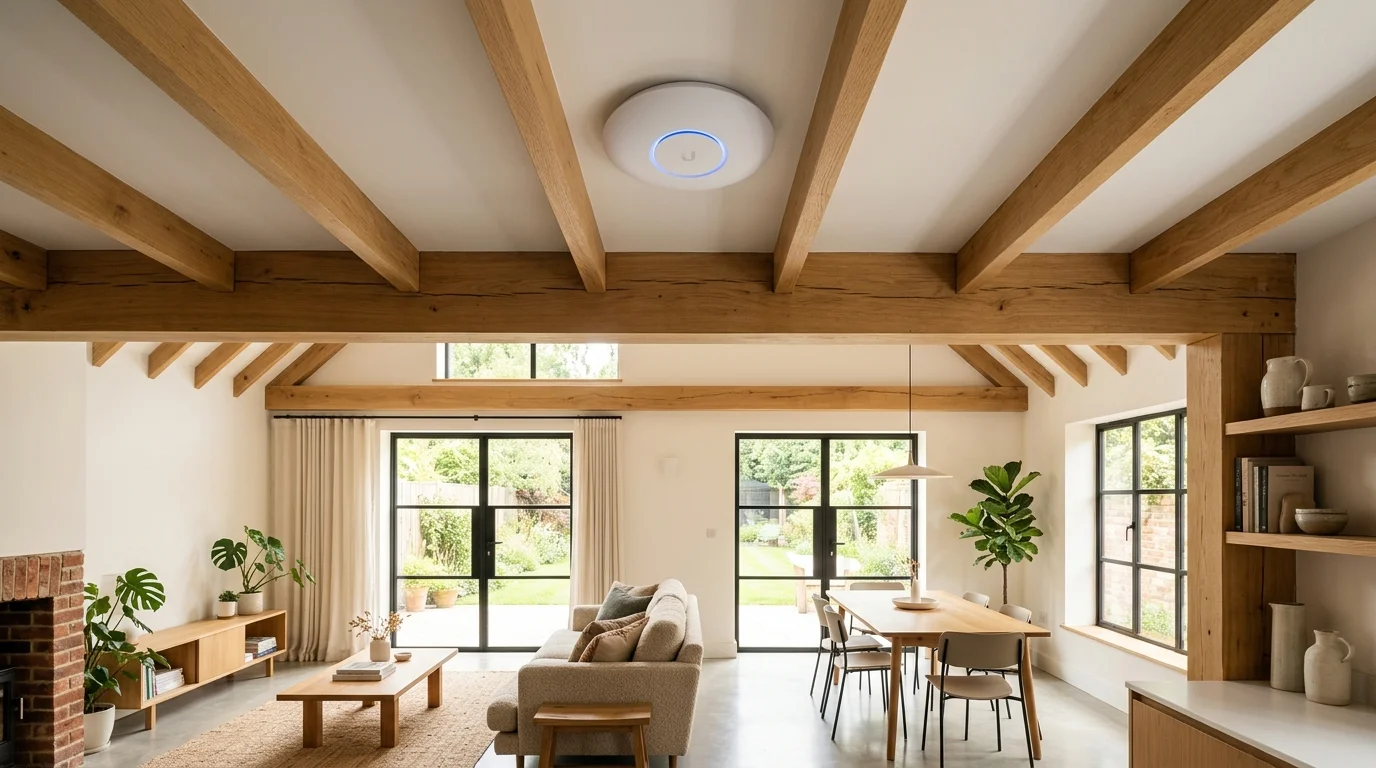
We configure Starlink Bypass Mode, external Cat6 data cables. business mesh access points. These high-speed hubs easily send strong signals through thick solid stone walls. Your Starlink installer verifies full Wi-Fi speeds in every room.
- ✓Starlink Gen 3 Bypass Mode for seamless mesh routing.
- ✓Weatherproof exterior Cat6 cable runs pinned along mortar.
- ✓Full Wi-Fi signal across farmhouses, barns. offices.
Real Starlink Problems Solved: Cable Repairs, Garden Offices & Own-Equipment Fitting
Real Starlink customers don’t want generic sales talk. You need practical engineering. We climb your roof to fit hardware you already own. We fix chewed cables or fit clean gigabit links to detached garden offices. Gary Pearce provides direct, hands-on solutions.
Fit Customer-Supplied Starlink Hardware
Already ordered your Gen 3 kit from SpaceX, Currys, or John Lewis? You don’t need to buy hardware twice. Gary Pearce supplies the brackets and climbs the roof. He drills neat, sealed cable entries. configures your Wi-Fi router.
Starlink Cable Repair & IP68 Splicing
Chewed by mice or dogs? Strimmed in the garden or crushed by a window frame? SpaceX takes weeks to ship replacement cables. Gary Pearce repairs damaged Starlink lines using IP68 waterproof couplers. This restores full speed fast.
Garden Office & Outbuilding Wi‑Fi
Never pay an extra £75/month for a second Starlink dish. Gary Pearce links your garden room, barn, or workshop to your house dish. We use armoured Cat6 or wireless bridges for fast Zoom calls.
Dish moving & blockage Clearing
Have trees grown into your signal path? Or do you need your Starlink dish moved to a high roof? Gary safely moves your dish and tidies all cables. verifies 100% clear sky clearance.
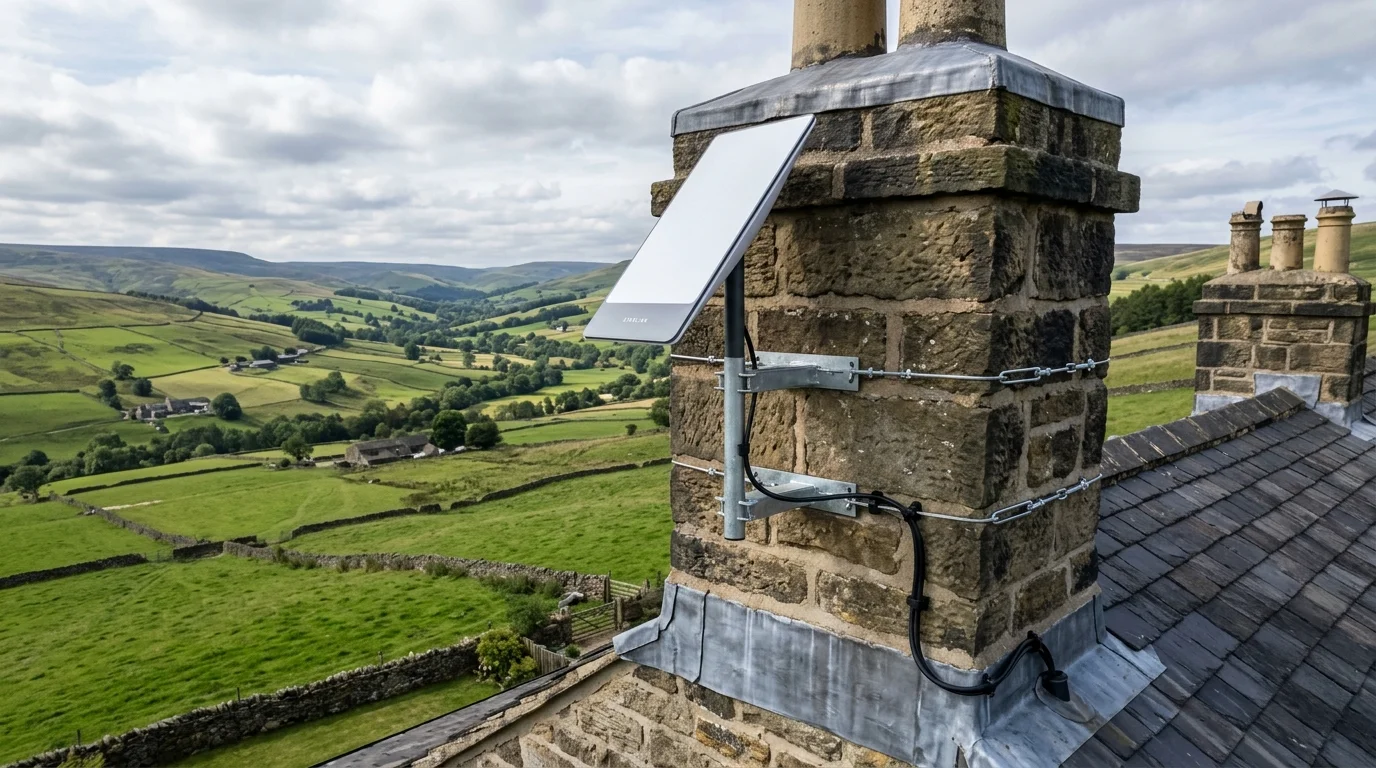
Starlink Roof Installation: Chimney Mounts & Heavy-Duty Brackets
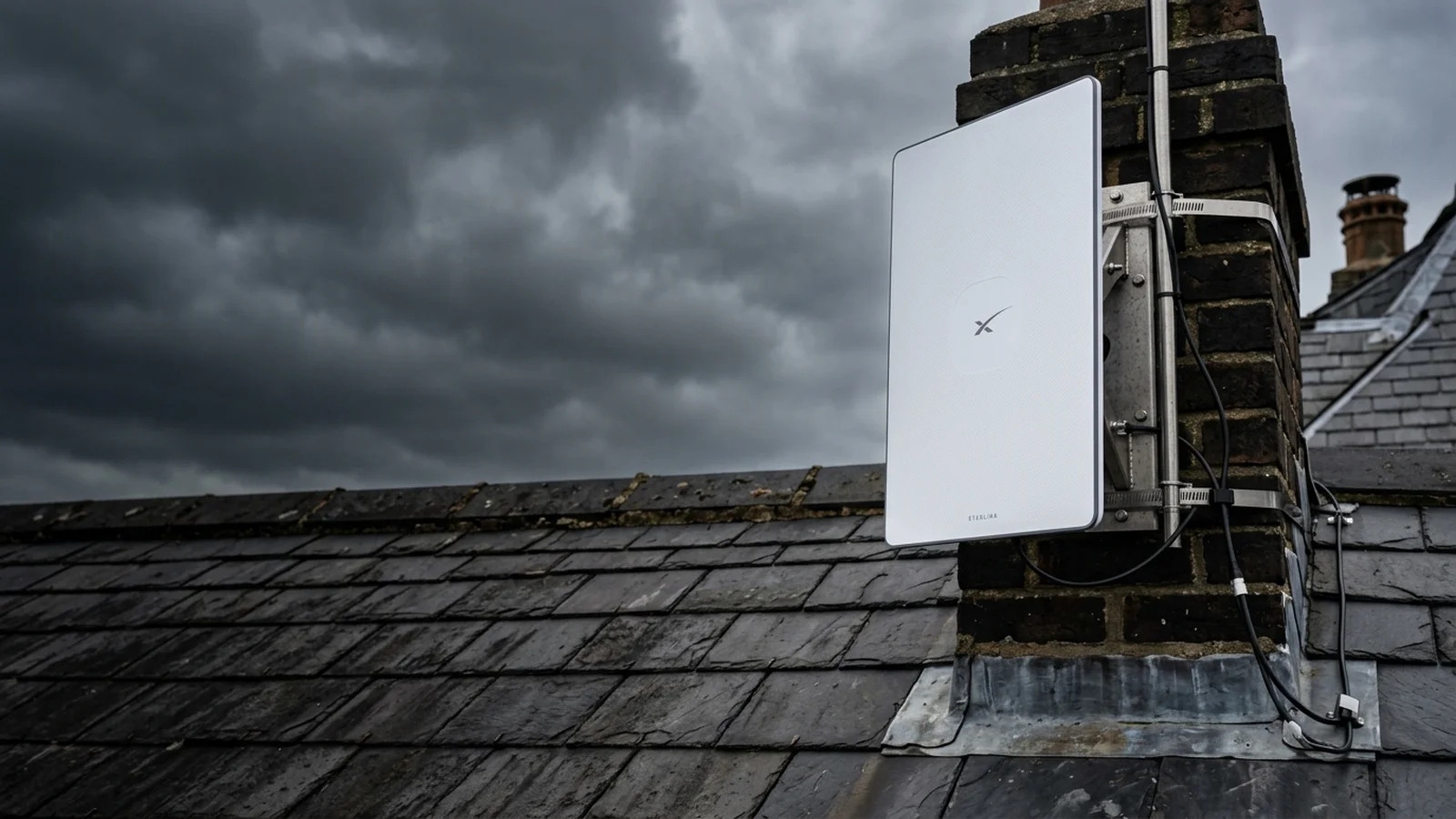
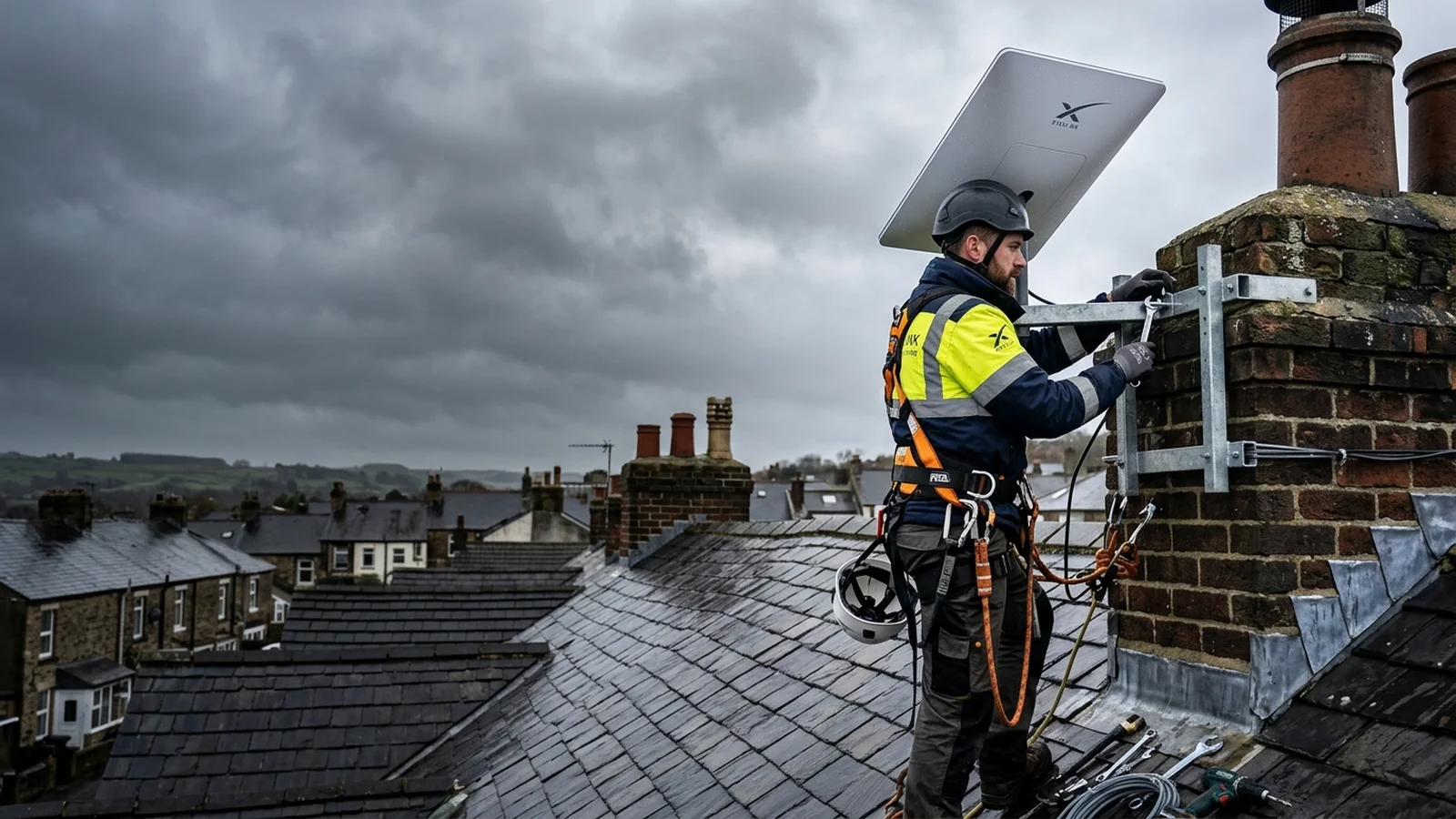
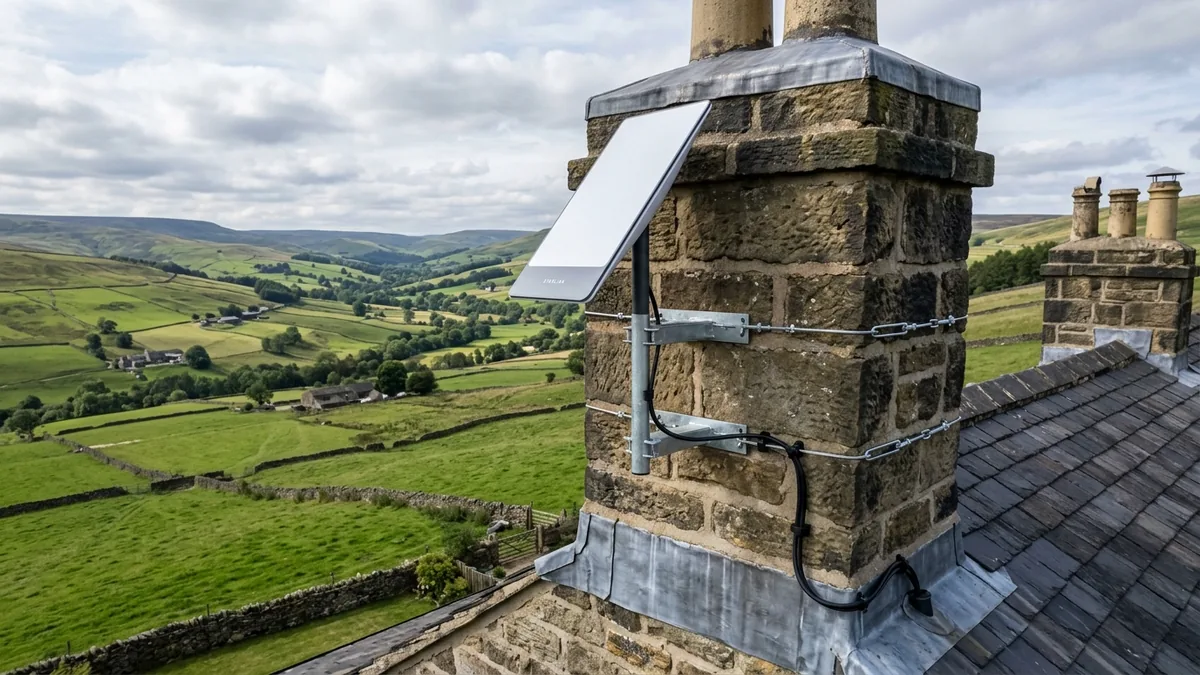
Need your Starlink dish installed securely on your roof? Gary Pearce carries out certified roof Starlink installation. We use heavy-duty brackets and non-drill chimney cradles. Double-lashed marine stainless steel wire ropes anchor the dish. They withstand 90mph winds without drilling chimney mortar. As your dedicated Starlink installer, Gary guarantees non-drill chimney cradle mounting.
Double-Lashed Chimney Mounts: We wrap twin stainless steel wire ropes around stacks. This causes zero stone damage. Zero masonry drilling prevents cracks. This keeps historic chimneys safe.
Watertight Drip Loops: We drill wall holes at an upward angle. Downward silicone drip-loops keep rainwater away from your home.
Heavy-Duty Ridge & Gable Brackets: If you have no chimney, we fit solid steel brackets. These mount securely to gable walls. This lifts the dish clear of trees for steady satellite signals.
Heavy-Duty Chimney & Roof Mounting Hardware Fitted by Gary Pearce
We carry every bracket type on our van. We select the best mounting solution for your exact roof material, pitch. tree clearance.
Natural Slate Roof Clamps.
Drilling slate tiles causes cracks and water leaks. We slide bespoke bracket clamps under slates to fix to rafters. Your slates stay intact and dry.
Gable End Extended Masts.
Tall trees can block signals. We fit alloy masts to gable walls. This clears tree lines for steady broadband.
Non-Drill Flat Roof Ballast.
Flat roofs with rubber or fibreglass need zero drill holes. We use heavy steel trays weighted with concrete blocks. Protective mats keep roofs watertight.
Garden Ground Poles.
When roof mounting is impossible, we fit garden ground poles. We set a steel mast into concrete. We run buried cable directly to your house.
Homeowner Pre-Installation Checklist: Preparing for Your Fitting
Preparing your home before Gary arrives helps us. It lets us complete your install quickly and smoothly. Here are four simple steps to check before our visit.
Check Your Starlink Box Delivery.
Ensure your Starlink kit has arrived. Check the box has the dish, router, power unit. cable. Keep the box in a dry room.
Identify Power Socket Locations.
Choose where your Starlink router will sit indoors. A central room with a nearby mains socket gives the best Wi-Fi spread.
Clear Access Around Rooflines.
Ensure clear ladder access near your gable wall or chimney. Move cars and garden pots away from footing areas.
Download The Starlink App.
Download the Starlink app to your phone. Sign into your SpaceX account. Gary uses your app during installation to run speed tests.
Extend Starlink Wi‑Fi to Garden Offices, Outbuildings & Sheds
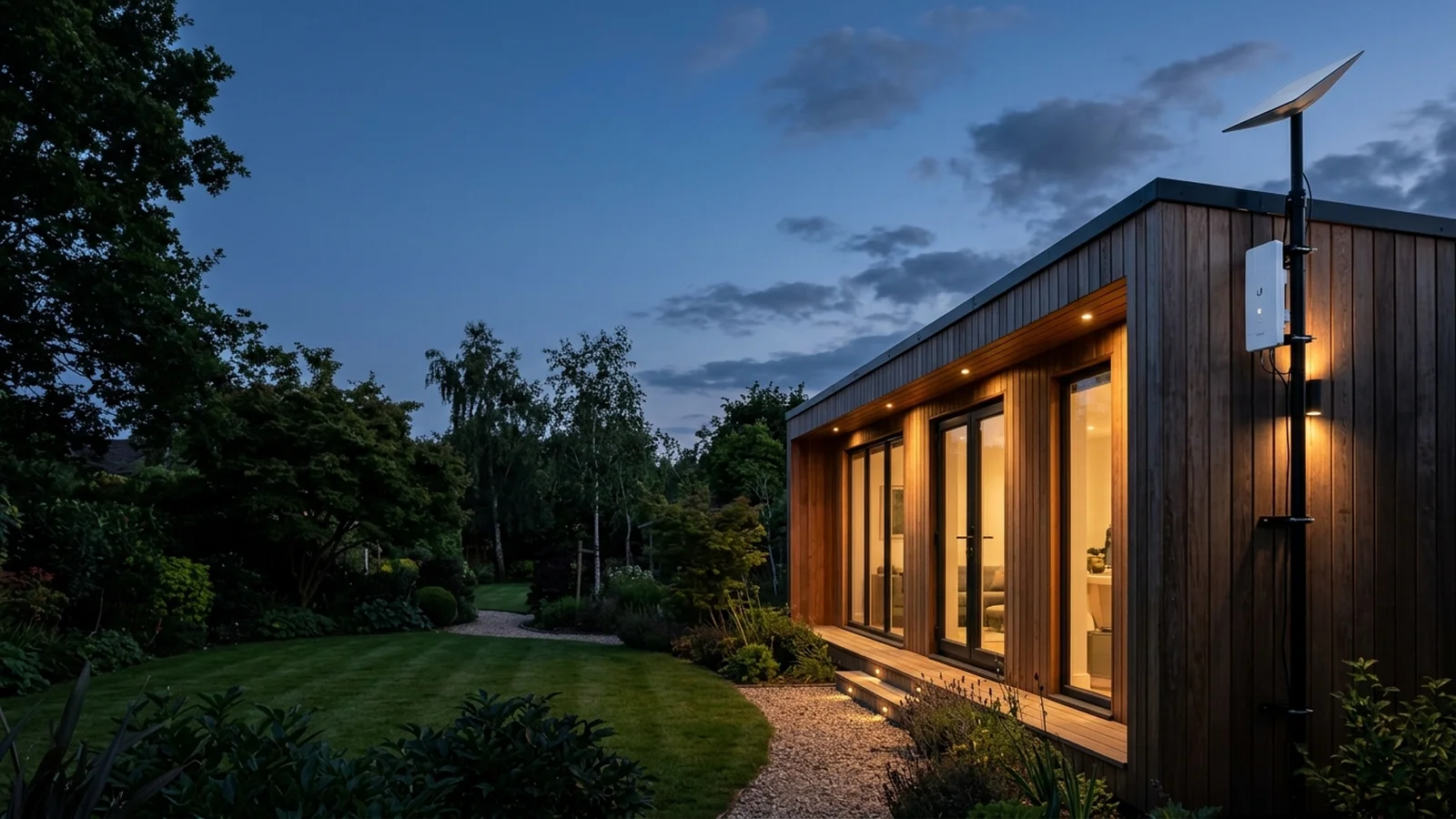
Need fast broadband in a detached workspace? Gary Pearce extends your Starlink connection to garden offices, sheds. barns using direct-buried external Cat6 cables or 1 Gbps point-to-point wireless bridges. Every outbuilding enjoys full 150–250 Mbps speeds with zero trenching or Wi-Fi dropouts. Our professional Starlink installers complete every garden link cleanly in a single visit.
Router Bypass Mode: We set Bypass Mode on your Starlink router. This lets your network switch run with zero double-NAT conflicts.
Hardwired Cat6 Backhauls: We run rugged UV-rated external data cables neatly clipped to walls or fences. This feeds high-speed access points inside your outbuilding.
Point-to-Point Wireless Bridges: Where cable routes cannot run, we fit 5GHz wireless bridges. These beam full broadband speeds across lawns and paddocks.
External Armoured Cat6 Cable
The most reliable connection for home offices. We run UV-rated exterior Cat6 neatly clipped along mortar lines. This feeds your garden workspace with lossless digital transmission.
Point-to-Point Wireless Bridge
Ideal where paved driveways or lawns prevent trenching. Compact directional units mounted on each building beam full broadband speeds. They link sites up to 5km with low latency.
CCTV Cloud Viewing Over CGNAT
Starlink uses Carrier-Grade NAT with no public IPv4 address. Standard port forwarding fails without setup. We configure your CCTV recorder using secure outbound cloud relays. This gives smooth live streaming on your phone anywhere.
Does Starlink Work in Bad Weather and Storms?
Does Starlink stay online during severe UK storms, torrential downpours. snow? Yes. Gary Pearce secures each dish with heavy steel brackets. We use double-lashed stainless wires tested in 90mph Pennine gales. Phased-array tracking and quick snow-melting heaters maintain clear 150–350 Mbps satellite connections year-round. skilled Starlink installers ensure your dish high-wind storm rated.
SpaceX Starlink Gen 3 Setup: Wi‑Fi 6 Router & Hardwired Ethernet
Setting up the new SpaceX Starlink Gen 3 hardware? The Gen 3 dish uses phased-array steering. There are no moving motors to freeze in winter. Gary Pearce fits your Gen 3 dish with precise alignment. He wires the Wi-Fi 6 router into your network using built-in gigabit Ethernet ports. Your certified Starlink installer configures everything on the day.
Zero Moving Parts: Digital beam tracking locks satellite broadband without motors. It stays locked during high winds and storms.
Wi-Fi 6 Router with Dual Native LAN: The Gen 3 router has two ethernet ports. You can plug Cat6 cables directly into network switches and PCs.
IP67 Snow-Melt Heating: Built for cold UK winters. Its built-in heater melts snow and frost off the dish face quickly.
SpaceX Starlink Gen 2 vs Gen 3: Hardware Differences, Speeds & Features
Compare the older motorised dish with the latest Gen 3 model. The new Gen 3 dish is flat and fits neatly on your roof. It has built-in Wi-Fi 6 and two fast Ethernet ports for home networking.
| Feature Specification. | SpaceX Gen 2 (Motorized). | SpaceX Gen 3 (Standard 2026). |
|---|---|---|
| Antenna Array Type. | Motorized electronic phased array. | Fixed solid-state phased array with zero motors. |
| Field of View. | 100 degrees mechanical tilt. | 110 degrees ultra-wide sky capture. |
| Wi-Fi Router Standard. | Wi-Fi 5 dual band. | Wi-Fi 6 tri-band with MU-MIMO. |
| Built-in Ethernet Ports. | None. Requires extra adapter. | 2 x Native Gigabit RJ45 Ethernet ports. |
| weather Protection. | IP54 weather resistance. | IP67 waterproof subsea-grade seal. |
| Wind Speed Rating. | 60 mph operational limit. | 90+ mph gale-force certified. |
Starlink vs BT & Fibre Broadband: Real Rural Speed & Cost Comparison
Stuck on slow rural copper broadband? If full fibre (FTTP) is available outside your door, it is often the most cost-effective choice. But for rural properties, farms. In rural villages miles from cabinets, Starlink delivers 150 to 250 Mbps. Old Openreach copper lines often struggle to give 10 Mbps.
| Broadband Type. | Download Speed. | Upload Speed. | Typical Latency. | Rural Availability. | Monthly Service. |
|---|---|---|---|---|---|
| ★ Starlink Gen 3 Satellite. | 150–250+ Mbps | 15–30 Mbps | 25–45 ms. | 100% Nationwide. | £75/mo (Standard). |
| BT Openreach Copper (FTTC). | 5–35 Mbps | 1–5 Mbps | 20–40 ms. | Distance-limited. | £35–£48/mo. |
| Rural 4G / 5G Mobile Router. | 10–60 Mbps | 2–10 Mbps | 40–80 ms. | Mast congestion risk. | £30–£45/mo. |
| Full Fibre (FTTP / Gigaclear). | 150–900 Mbps | 30–100 Mbps | 8–15 ms. | Very limited in rural areas. | £35–£65/mo. |
When Starlink Makes Complete Sense
Is your home outside full-fibre zones? Starlink gives you immediate high-speed broadband. You avoid waiting years for road-digging crews.
What About Keeping Your Landline Phone?
Starlink is a pure internet service without an analogue telephone jack. Want to keep your home landline number? You can port it to a low-cost VoIP provider. We plug a simple adapter straight into your router.
Starlink Installation Cost UK: Fixed Prices From £199+VAT
Wondering how much Starlink installation costs in the UK? Gary Pearce offers upfront fixed pricing starting at £199+VAT when you supply all your equipment, or £249+VAT when Gary supplies the heavy-duty bracket and external UV Cat6 cable. Every installation includes waterproof wall entry seals, router setup, live speed verification, and zero hidden call-out fees.
Customer Kit Fitted (£199+VAT)
Best if you already have the Starlink dish, mount, and cable. Gary handles precision alignment, ladder work, safe mounting, and weatherproofing.
- ✓ Customer-supplied mount & kit fitted.
- ✓ Up to 25m exterior cable routing.
- ✓ Watertight masonry drip loop seal.
- ✓ App setup & live speed verification.
Supply Bracket & Cable (£249+VAT)
Gary supplies the heavy-duty galvanized Pennine storm bracket and external UV-rated Cat6 cable, with complete professional fitting.
- ✓ Heavy-duty galvanized steel Pennine bracket.
- ✓ External UV-rated black Cat6 cable supplied.
- ✓ Silicone waterproof masonry bushings.
- ✓ Internal router placement for top Wi-Fi.
Chimney Stack / Estate Link (£295–£450+)
For high-clearance non-drill chimney lashing cradles, or large properties needing long-range Wi-Fi bridge links to garden offices and barns.
- ✓ Non-drill stainless steel chimney cradle (£295+VAT).
- ✓ 90mph gale-tested steel lashing.
- ✓ Garden office / barn wireless links (£395–£450+VAT).
- ✓ Whole-property Wi-Fi signal walk-test.
dish install by Property Type: Farmhouses, Cottages & Rural Homes
Every building requires a specific installation approach. We adapt our brackets, cable runs. Wi-Fi networks to suit your exact property structure.
Rural Farmhouses & Smallholdings.
Thick stone walls block mobile signals. Each farmhouse dish fitting uses non-drill mounts and external Cat6 cabling for whole-farm speed.
Historic & Listed Stone Cottages.
Protecting historic lime mortar is vital. Each cottage dish fitting uses twin stainless wire ropes. Your non-drill mounts preserve heritage stone.
Modern Detached Homes & Townhouses.
For modern homes, neat aesthetics matter. We route cables behind downpipes and through lofts. Every installation keeps wiring hidden.
Rural Holiday Lodges & Caravans.
We fit heavy brackets on holiday lodges and chalets. Each lodge dish fitting gives guests fast streaming internet all season.
What Gary Pearce Includes In Every Starlink Installation
We never cut corners on fixtures, safety equipment, or cable sealing. Every job includes complete materials and thorough post-install testing.
We check the sky with optical tools. We confirm zero tree blockage before your Starlink installation begins.
We fit steel mounts. Every roof mount bracket resists 90mph gales with zero movement.
We clip UV cables along mortar lines. Your data cable run will not perish in winter weather.
We drill entry holes at an upward angle. Every installation has a silicone drip-loop to stop leaks.
We set your Wi-Fi name. We link your phones, TVs. PCs. We test signals in every room.
Every Starlink installation includes a 12-month warranty. Gary Pearce provides direct engineer phone help.
Starlink UK Monthly Data Plans & Hardware Ownership
Starlink operates differently from standard UK broadband contracts. Here is what you need to know about plans, billing. hardware costs.
Standard Fixed home Plan (£75/mo).
The standard plan for homes. You get unlimited data and no speed caps. You can pause or cancel at any time.
Roam & Mobile RV Plan (£85/mo).
Designed for camper vans and boats. Use your dish anywhere across the UK. Pause billing when not travelling.
High-Priority business Plan (£140+/mo).
Priority speeds for business premises. This plan gives top network priority. Gary Pearce provides business Starlink installations for offices, holiday parks. farms.
Starlink Cable Routing Service: Neat External Wall Entry & Internal Runs
Already own your Starlink kit but need safe cable routing through thick exterior walls or lofts? Gary Pearce provides a neat Starlink cable routing service from £125. Gary drills downward 22mm entry holes with silicone drip-loops. He pulls cables cleanly to your router without damaging delicate factory connectors. Your professional Starlink installer ensures a neat finish inside and out.
Moving House? Professional Starlink Dish moving Services
Moving house or repointing your roof? We safely de-mount your dish and seal old wall holes. We then carry out a complete dish fit at your new property.
How to Book Your Starlink Installation: What Gary Pearce Includes on the Day
Wondering what happens on the day of your Starlink installation? Gary Pearce completes every install in four clear stages: full 360-degree sky obstacle scan, secure storm-proof bracket mounting, neat silicone-sealed cable routing. live speed testing with a full 12-month workmanship warranty. Your dedicated Starlink installer arrives fully equipped.
Step 1: Starlink Site & Sky Survey
We survey your roofline with optical tools. We scan nearby trees to guarantee a 100% clear sky view for your Starlink dish.
Step 2: Non-Drill Chimney & Storm-Proof Wall Mounting
We fit heavy solid steel brackets or chimney cradles. Every Starlink dish stays firmly locked in 90mph Pennine gales.
Step 3: Starlink Cable Routing & Weatherproof Wall Entry
We route cables cleanly through exterior walls and lofts. Gary drills neat 22mm downward holes with silicone drip-loops. We feed proprietary cables without connector damage. Every cable run looks tidy and stays watertight.
Step 4: Live Speed Test, Handover & 12-Month Guarantee
We connect your devices and run live speed checks. Every installation hands over verified 150 to 350 Mbps download speeds.
Local Starlink Installation: Same-Day Engineer Dispatch Directory
Where can you book a professional Starlink installer? Gary Pearce delivers prompt Starlink installation across the North of England & Midlands and nearby Northern communities. Each mobile workshop van carries all non-drill chimney cradles, heavy-duty Pennine brackets, adapters. exterior Cat6 cabling for same-day complete fitting. Choose a certified local Starlink installer for prompt service.
Calderdale & Upper Calder Valley
Our home base. We fit dishes across Halifax, Brighouse, Hebden Bridge, Sowerby Bridge, Elland, Greetland, Hipperholme. Luddenden. High-height non-drill chimney banding and valley tree clearance backed.
- Non-drill stone chimney cradles
- Garden office wireless bridges
Leeds, Bradford & Wakefield
We fit Starlink across Leeds, Bradford, Wakefield, Pudsey, Morley. Wharfedale. From suburban semi-detached homes to rural fringe properties with slow broadband lines.
- Ridge and gable wall mounts
- Whole-home Wi-Fi distribution
Huddersfield & Holme Valley
Prompt satellite dish fitting across Huddersfield, Holmfirth, Honley, Meltham, Mirfield. Dewsbury. Specialized high masts to clear deep Holme Valley hills and tree canopies.
- Holme Valley tree clearance
- Thick stone wall cable routing
Harrogate, York & Yorkshire Dales
Expert satellite internet installation for rural farmsteads, country cottages. estates across Harrogate, York, Ripon, Skipton. the Yorkshire Dales.
- Heritage non-drill chimney mounts.
- Farm outbuilding wireless links
Sheffield, Barnsley & Rotherham
giving high-speed Starlink satellite fitting across Sheffield, Barnsley, Rotherham, Doncaster. the Peak District borders. Robust storm-rated hardware fitted on all roofs.
- Heavy-duty Pennine storm brackets.
- Discreet black Cat6 cabling.
Pennine Border & Lancashire
Serving exposed Pennine moorland properties and Lancashire border towns including Burnley, Colne, Rochdale, Oldham. Littleborough. Weatherproof fittings tested to 90 mph winds.
- High-wind exposed ridge mounts
- Solid stone masonry entry
Starlink Installation FAQs: Real Questions Answered
Have questions about Starlink installation, roof safety, or broadband performance? Here are 12 clear, practical answers directly from certified engineer Gary Pearce covering fixed costs, chimney lashing, stone wall mesh, bad weather. landline telephone transfer. A qualified Starlink installer explains what you need to know.
Have a Grade II listed property, 2-foot stone walls, or need outbuilding links? Talk directly with Gary for honest technical advice before ordering hardware. Zero call centres, zero sales scripts.
How much does professional Starlink installation cost in the UK?
£P£r£o£f£e£s£s£i£o£n£a£l£ £S£t£a£r£l£i£n£k£ £i£n£s£t£a£l£l£a£t£i£o£n£ £i£n£ £t£h£e£ £U£K£ £c£o£s£t£s£ £b£e£t£w£e£e£n£ ££2£2£5£ £a£n£d£ ££4£5£0£ £f£r£o£m£ £G£a£r£y£ £P£e£a£r£c£e£,£ £d£e£p£e£n£d£i£n£g£ £o£n£ £y£o£u£r£ £r£o£o£f£ £t£y£p£e£ £a£n£d£ £c£a£b£l£e£ £r£u£n£.£ £A£ £s£t£a£n£d£a£r£d£ £s£i£n£g£l£e£-£s£t£o£r£e£y£ £o£r£ £g£a£b£l£e£ £w£a£l£l£ £m£o£u£n£t£ £i£s£ ££2£2£5£.£ £A£ £h£e£a£v£y£-£d£u£t£y£ £c£h£i£m£n£e£y£ £l£a£s£h£i£n£g£ £m£o£u£n£t£ £i£s£ ££3£2£0£.£ £F£u£l£l£ £e£s£t£a£t£e£ £i£n£s£t£a£l£l£a£t£i£o£n£s£ £w£i£t£h£ £g£a£r£d£e£n£ £o£f£f£i£c£e£ £W£i£-£F£i£ £l£i£n£k£s£ £s£t£a£r£t£ £f£r£o£m£ ££4£5£0£.£
Is it worth paying for professional Starlink installation vs DIY?
£Y£e£s£.£ £H£i£r£i£n£g£ £a£ £p£r£o£f£e£s£s£i£o£n£a£l£ £S£t£a£r£l£i£n£k£ £i£n£s£t£a£l£l£e£r£ £g£u£a£r£a£n£t£e£e£s£ £a£n£ £b£l£o£c£k£a£g£e£-£f£r£e£e£ £r£o£o£f£ £m£o£u£n£t£.£ £W£e£ £u£s£e£ £h£e£a£v£y£ £g£a£l£v£a£n£i£s£e£d£ £s£t£e£e£l£ £b£r£a£c£k£e£t£s£ £a£n£d£ £t£w£i£n£ £c£h£i£m£n£e£y£ £l£a£s£h£i£n£g£ £w£i£r£e£s£.£ £W£e£ £r£o£u£t£e£ £c£a£b£l£e£s£ £t£h£r£o£u£g£h£ £c£l£e£a£n£ £w£a£l£l£ £h£o£l£e£s£ £w£i£t£h£ £s£i£l£i£c£o£n£e£ £s£e£a£l£s£.£ £D£I£Y£ £s£e£t£u£p£s£ £o£f£t£e£n£ £s£u£f£f£e£r£ £t£r£e£e£ £b£l£o£c£k£a£g£e£s£,£ £l£o£o£s£e£ £c£a£b£l£e£s£,£ £a£n£d£ £w£i£n£d£ £v£i£b£r£a£t£i£o£n£.£ £O£u£r£ £w£o£r£k£ £i£n£c£l£u£d£e£s£ £a£ £f£u£l£l£ £1£2£-£m£o£n£t£h£ £w£o£r£k£m£a£n£s£h£i£p£ £w£a£r£r£a£n£t£y£.£
Can Starlink be installed on a roof, and does it need to go on the roof?
£S£t£a£r£l£i£n£k£ £w£o£r£k£s£ £b£e£s£t£ £o£n£ £a£ £r£o£o£f£.£ £H£i£g£h£ £r£o£o£f£ £m£o£u£n£t£i£n£g£ £g£i£v£e£s£ £a£ £c£l£e£a£r£ £1£1£0£-£d£e£g£r£e£e£ £s£k£y£ £v£i£e£w£.£ £T£h£i£s£ £c£l£e£a£r£s£ £t£r£e£e£s£,£ £h£e£d£g£e£s£,£ £a£n£d£ £n£e£a£r£b£y£ £b£u£i£l£d£i£n£g£s£.£ £R£o£o£f£ £m£o£u£n£t£i£n£g£ £s£t£o£p£s£ £d£r£o£p£o£u£t£s£ £o£n£ £v£i£d£e£o£ £c£a£l£l£s£.£ £A£s£ £a£n£ £e£x£p£e£r£i£e£n£c£e£d£ £S£t£a£r£l£i£n£k£ £i£n£s£t£a£l£l£e£r£,£ £G£a£r£y£ £f£i£t£s£ £d£i£s£h£e£s£ £t£o£ £c£h£i£m£n£e£y£ £s£t£a£c£k£s£,£ £g£a£b£l£e£ £w£a£l£l£s£,£ £a£n£d£ £r£i£d£g£e£l£i£n£e£s£ £w£i£t£h£o£u£t£ £c£r£a£c£k£i£n£g£ £t£i£l£e£s£.£
Do I need to drill a hole in my wall for the Starlink cable?
£Y£e£s£.£ £A£ £n£e£a£t£ £2£2£m£m£ £e£n£t£r£y£ £h£o£l£e£ £i£s£ £n£e£e£d£e£d£ £f£o£r£ £t£h£e£ £S£t£a£r£l£i£n£k£ £c£a£b£l£e£ £h£e£a£d£.£ £G£a£r£y£ £P£e£a£r£c£e£ £d£r£i£l£l£s£ £a£t£ £a£ £d£o£w£n£w£a£r£d£ £a£n£g£l£e£ £f£r£o£m£ £i£n£s£i£d£e£ £t£o£ £o£u£t£s£i£d£e£.£ £T£h£i£s£ £s£t£o£p£s£ £r£a£i£n£w£a£t£e£r£ £e£n£t£e£r£i£n£g£ £y£o£u£r£ £h£o£m£e£.£ £W£e£ £f£i£t£ £r£u£b£b£e£r£ £w£a£l£l£ £b£u£s£h£i£n£g£s£ £a£n£d£ £e£x£t£e£r£i£o£r£ £s£i£l£i£c£o£n£e£ £d£r£i£p£-£l£o£o£p£s£.£ £T£h£e£ £e£n£t£r£y£ £l£o£o£k£s£ £t£i£d£y£ £a£n£d£ £k£e£e£p£s£ £y£o£u£r£ £h£o£m£e£ £f£u£l£l£y£ £w£e£a£t£h£e£r£p£r£o£o£f£.£
Will Starlink be fully set up and working the same day you leave?
£Y£e£s£.£ £Y£o£u£r£ £S£t£a£r£l£i£n£k£ £i£n£s£t£a£l£l£e£r£ £s£t£a£y£s£ £u£n£t£i£l£ £y£o£u£r£ £s£y£s£t£e£m£ £i£s£ £l£i£v£e£.£ £W£e£ £p£o£w£e£r£ £u£p£ £t£h£e£ £G£e£n£ £3£ £r£o£u£t£e£r£.£ £W£e£ £u£p£d£a£t£e£ £t£h£e£ £S£p£a£c£e£X£ £f£i£r£m£w£a£r£e£.£ £N£e£x£t£,£ £w£e£ £c£o£n£n£e£c£t£ £y£o£u£r£ £p£h£o£n£e£s£,£ £T£V£s£,£ £a£n£d£ £P£C£s£.£ £F£i£n£a£l£l£y£,£ £w£e£ £r£u£n£ £a£ £l£i£v£e£ £s£p£e£e£d£ £t£e£s£t£ £s£h£o£w£i£n£g£ £1£5£0£ £t£o£ £2£5£0£+£ £M£b£p£s£ £b£e£f£o£r£e£ £h£a£n£d£i£n£g£ £o£v£e£r£.£
How long does a professional Starlink installation take on the day?
£A£ £s£t£a£n£d£a£r£d£ £d£o£m£e£s£t£i£c£ £S£t£a£r£l£i£n£k£ £i£n£s£t£a£l£l£a£t£i£o£n£ £t£a£k£e£s£ £b£e£t£w£e£e£n£ £2£ £a£n£d£ £3£ £h£o£u£r£s£.£ £M£o£r£e£ £c£o£m£p£l£e£x£ £j£o£b£s£ £w£i£t£h£ £c£h£i£m£n£e£y£ £l£a£s£h£i£n£g£ £o£r£ £o£u£t£b£u£i£l£d£i£n£g£ £W£i£-£F£i£ £b£r£i£d£g£e£s£ £t£a£k£e£ £3£ £t£o£ £4£ £h£o£u£r£s£.£ £E£v£e£r£y£ £S£t£a£r£l£i£n£k£ £i£n£s£t£a£l£l£e£r£ £v£i£s£i£t£ £i£s£ £f£i£n£i£s£h£e£d£ £c£l£e£a£n£l£y£ £i£n£ £a£ £s£i£n£g£l£e£ £d£a£y£.£ £A£l£l£ £b£r£a£c£k£e£t£s£,£ £c£a£b£l£e£s£,£ £a£n£d£ £r£o£u£t£e£r£s£ £a£r£e£ £f£i£t£t£e£d£ £a£n£d£ £t£e£s£t£e£d£ £b£e£f£o£r£e£ £w£e£ £l£e£a£v£e£.£
Does Starlink Wi‑Fi work through thick solid stone walls?
£T£h£e£ £s£t£a£n£d£a£r£d£ £S£t£a£r£l£i£n£k£ £r£o£u£t£e£r£ £W£i£-£F£i£ £s£i£g£n£a£l£ £s£t£r£u£g£g£l£e£s£ £t£h£r£o£u£g£h£ £t£w£o£-£f£o£o£t£ £t£h£i£c£k£ £s£o£l£i£d£ £Y£o£r£k£s£h£i£r£e£ £s£t£o£n£e£ £w£a£l£l£s£.£ £T£o£ £s£o£l£v£e£ £t£h£i£s£,£ £G£a£r£y£ £P£e£a£r£c£e£ £i£n£s£t£a£l£l£s£ £i£n£t£e£r£n£a£l£ £C£a£t£6£ £d£a£t£a£ £c£a£b£l£i£n£g£ £t£o£ £c£o£m£m£e£r£c£i£a£l£ £c£e£i£l£i£n£g£ £a£c£c£e£s£s£ £p£o£i£n£t£s£ £o£r£ £m£e£s£h£ £n£o£d£e£s£,£ £g£i£v£i£n£g£ £y£o£u£ £f£u£l£l£ £2£0£0£+£ £M£b£p£s£ £w£i£r£e£l£e£s£s£ £c£o£v£e£r£a£g£e£ £i£n£ £e£v£e£r£y£ £r£o£o£m£ £o£f£ £y£o£u£r£ £p£r£o£p£e£r£t£y£.£
Can I extend Starlink Wi‑Fi to a garden office, shed, or outbuilding?
£Y£e£s£.£ £G£a£r£y£ £P£e£a£r£c£e£ £l£i£n£k£s£ £y£o£u£r£ £S£t£a£r£l£i£n£k£ £b£r£o£a£d£b£a£n£d£ £t£o£ £g£a£r£d£e£n£ £r£o£o£m£s£ £a£n£d£ £d£e£t£a£c£h£e£d£ £b£a£r£n£s£.£ £W£e£ £u£s£e£ £d£i£r£e£c£t£-£b£u£r£i£e£d£ £C£a£t£6£ £c£a£b£l£e£ £o£r£ £h£i£g£h£-£s£p£e£e£d£ £w£i£r£e£l£e£s£s£ £b£r£i£d£g£e£s£ £u£p£ £t£o£ £5£k£m£.£ £Y£o£u£ £g£e£t£ £f£u£l£l£ £b£r£o£a£d£b£a£n£d£ £s£p£e£e£d£s£ £a£t£ £y£o£u£r£ £g£a£r£d£e£n£ £d£e£s£k£ £w£i£t£h£o£u£t£ £d£i£g£g£i£n£g£ £u£p£ £l£a£w£n£s£ £o£r£ £d£r£i£v£e£w£a£y£s£.£ £I£t£ £w£o£r£k£s£ £r£e£l£i£a£b£l£y£ £i£n£ £a£l£l£ £s£e£a£s£o£n£s£.£
Does Starlink stay online in bad UK weather, storms, and snow?
£Y£e£s£.£ £S£p£a£c£e£X£ £G£e£n£ £3£ £S£t£a£n£d£a£r£d£ £h£a£r£d£w£a£r£e£ £f£e£a£t£u£r£e£s£ £a£u£t£o£m£a£t£e£d£ £b£u£i£l£t£-£i£n£ £s£n£o£w£ £m£e£l£t£i£n£g£ £a£n£d£ £a£d£v£a£n£c£e£d£ £p£h£a£s£e£d£-£a£r£r£a£y£ £e£l£e£c£t£r£o£n£i£c£ £b£e£a£m£ £s£t£e£e£r£i£n£g£.£ £M£o£u£n£t£e£d£ £s£e£c£u£r£e£l£y£ £o£n£ £G£a£r£y£ £P£e£a£r£c£e£'£s£ £g£a£l£v£a£n£i£s£e£d£ £s£t£e£e£l£ £b£r£a£c£k£e£t£s£ £a£n£d£ £t£w£i£n£ £c£h£i£m£n£e£y£ £l£a£s£h£i£n£g£s£,£ £o£u£r£ £i£n£s£t£a£l£l£a£t£i£o£n£s£ £a£r£e£ £t£e£s£t£e£d£ £t£o£ £w£i£t£h£s£t£a£n£d£ £9£0£m£p£h£ £P£e£n£n£i£n£e£ £g£a£l£e£s£.£
Is Starlink better than BT Openreach and 4G broadband in rural areas?
£F£o£r£ £r£u£r£a£l£ £h£o£m£e£s£ £g£e£t£t£i£n£g£ £u£n£d£e£r£ £2£0£ £M£b£p£s£ £o£n£ £B£T£ £O£p£e£n£r£e£a£c£h£ £c£o£p£p£e£r£ £p£h£o£n£e£ £l£i£n£e£s£,£ £S£t£a£r£l£i£n£k£ £i£s£ £v£a£s£t£l£y£ £s£u£p£e£r£i£o£r£.£ £I£t£ £d£e£l£i£v£e£r£s£ £c£o£n£s£i£s£t£e£n£t£ £1£5£0£–£2£5£0£+£ £M£b£p£s£ £d£o£w£n£l£o£a£d£ £s£p£e£e£d£s£ £a£n£d£ £2£5£–£4£0£m£s£ £l£a£t£e£n£c£y£,£ £c£o£m£p£a£r£e£d£ £t£o£ £d£e£c£a£y£i£n£g£ £c£o£p£p£e£r£ £l£i£n£e£s£ £t£h£a£t£ £b£u£f£f£e£r£ £o£n£ £4£K£ £s£t£r£e£a£m£i£n£g£ £a£n£d£ £f£r£e£e£z£e£ £o£n£ £v£i£d£e£o£ £c£a£l£l£s£ £d£u£r£i£n£g£ £b£a£d£ £w£e£a£t£h£e£r£.£
Can I cancel BT and keep my landline phone number on Starlink?
£Y£e£s£,£ £b£u£t£ £y£o£u£ £w£i£l£l£ £n£e£e£d£ £a£ £t£h£i£r£d£-£p£a£r£t£y£ £V£o£I£P£ £p£r£o£v£i£d£e£r£.£ £S£t£a£r£l£i£n£k£ £i£s£ £a£ £h£i£g£h£-£s£p£e£e£d£ £b£r£o£a£d£b£a£n£d£ £c£o£n£n£e£c£t£i£o£n£ £a£n£d£ £d£o£e£s£ £n£o£t£ £s£u£p£p£l£y£ £a£ £t£r£a£d£i£t£i£o£n£a£l£ £l£a£n£d£l£i£n£e£.£ £T£o£ £k£e£e£p£ £y£o£u£r£ £e£x£i£s£t£i£n£g£ £0£1£ £o£r£ £0£2£ £n£u£m£b£e£r£ £w£h£e£n£ £c£a£n£c£e£l£l£i£n£g£ £B£T£,£ £y£o£u£ £c£a£n£ £p£o£r£t£ £i£t£ £t£o£ £a£n£ £i£n£d£e£p£e£n£d£e£n£t£ £d£i£g£i£t£a£l£ £V£o£I£P£ £s£e£r£v£i£c£e£ £(£s£u£c£h£ £a£s£ £V£o£i£p£f£o£n£e£ £o£r£ £V£o£n£a£g£e£)£ £u£s£i£n£g£ £a£ £s£i£m£p£l£e£ £A£T£A£ £a£d£a£p£t£e£r£ £p£l£u£g£g£e£d£ £i£n£t£o£ £y£o£u£r£ £r£o£u£t£e£r£.£
Can I take my Starlink dish with me if I move house?
£Y£e£s£.£ £Y£o£u£ £o£w£n£ £t£h£e£ £S£t£a£r£l£i£n£k£ £h£a£r£d£w£a£r£e£ £o£u£t£r£i£g£h£t£ £w£i£t£h£ £n£o£ £l£o£n£g£ £c£o£n£t£r£a£c£t£.£ £W£h£e£n£ £y£o£u£ £m£o£v£e£ £h£o£m£e£,£ £y£o£u£r£ £S£t£a£r£l£i£n£k£ £i£n£s£t£a£l£l£e£r£ £c£a£n£ £s£a£f£e£l£y£ £d£e£-£r£i£g£ £t£h£e£ £d£i£s£h£.£ £W£e£ £s£e£a£l£ £a£l£l£ £o£l£d£ £w£a£l£l£ £e£n£t£r£y£ £h£o£l£e£s£.£ £T£h£e£n£,£ £w£e£ £r£e£i£n£s£t£a£l£l£ £t£h£e£ £s£y£s£t£e£m£ £a£t£ £y£o£u£r£ £n£e£w£ £p£r£o£p£e£r£t£y£ £w£i£t£h£ £s£t£o£r£m£-£p£r£o£o£f£ £b£r£a£c£k£e£t£s£.£
Can an installer fit a Starlink dish I bought myself from Currys or SpaceX?
£Y£e£s£.£ £M£o£s£t£ £c£u£s£t£o£m£e£r£s£ £o£r£d£e£r£ £t£h£e£i£r£ £S£t£a£r£l£i£n£k£ £S£t£a£n£d£a£r£d£ £k£i£t£ £d£i£r£e£c£t£l£y£ £f£r£o£m£ £S£p£a£c£e£X£,£ £C£u£r£r£y£s£,£ £o£r£ £J£o£h£n£ £L£e£w£i£s£.£ £G£a£r£y£ £P£e£a£r£c£e£ £s£u£p£p£l£i£e£s£ £h£e£a£v£y£-£d£u£t£y£ £g£a£l£v£a£n£i£z£e£d£ £r£o£o£f£ £b£r£a£c£k£e£t£s£,£ £n£o£n£-£d£r£i£l£l£ £c£h£i£m£n£e£y£ £m£o£u£n£t£s£,£ £w£e£a£t£h£e£r£-£s£e£a£l£e£d£ £c£a£b£l£e£ £g£r£o£m£m£e£t£s£,£ £a£n£d£ £p£r£o£f£e£s£s£i£o£n£a£l£ £r£o£o£f£ £l£a£d£d£e£r£s£ £t£o£ £s£a£f£e£l£y£ £f£i£t£ £a£n£d£ £c£o£m£m£i£s£s£i£o£n£ £y£o£u£r£ £e£q£u£i£p£m£e£n£t£.£
Can a damaged or rodent-chewed Starlink cable be repaired without buying a new one?
£Y£e£s£.£ £I£f£ £y£o£u£r£ £S£t£a£r£l£i£n£k£ £c£a£b£l£e£ £i£s£ £c£u£t£ £b£y£ £g£a£r£d£e£n£i£n£g£ £t£o£o£l£s£,£ £c£h£e£w£e£d£ £b£y£ £m£i£c£e£ £o£r£ £d£o£g£s£,£ £o£r£ £p£i£n£c£h£e£d£ £i£n£ £a£ £w£i£n£d£o£w£ £f£r£a£m£e£,£ £G£a£r£y£ £P£e£a£r£c£e£ £s£p£l£i£c£e£s£ £a£n£d£ £r£e£p£a£i£r£s£ £t£h£e£ £l£i£n£e£ £u£s£i£n£g£ £s£h£i£e£l£d£e£d£ £I£P£6£8£ £w£a£t£e£r£p£r£o£o£f£ £e£x£t£e£r£n£a£l£ £c£o£u£p£l£e£r£s£,£ £r£e£s£t£o£r£i£n£g£ £f£u£l£l£ £g£i£g£a£b£i£t£ £s£p£e£e£d£ £w£i£t£h£o£u£t£ £w£a£i£t£i£n£g£ £w£e£e£k£s£ £f£o£r£ £S£p£a£c£e£X£ £r£e£p£l£a£c£e£m£e£n£t£ £c£a£b£l£e£s£.£
How do I get Starlink internet to a detached garden office or barn?
£Y£o£u£ £d£o£ £n£o£t£ £n£e£e£d£ £a£ £s£e£c£o£n£d£ £S£t£a£r£l£i£n£k£ £s£u£b£s£c£r£i£p£t£i£o£n£.£ £G£a£r£y£ £P£e£a£r£c£e£ £c£o£n£n£e£c£t£s£ £y£o£u£r£ £m£a£i£n£ £h£o£u£s£e£ £t£o£ £y£o£u£r£ £g£a£r£d£e£n£ £r£o£o£m£ £u£s£i£n£g£ £e£i£t£h£e£r£ £d£i£r£e£c£t£-£b£u£r£i£a£l£ £a£r£m£o£u£r£e£d£ £S£W£A£ £C£a£t£6£ £c£a£b£l£e£ £o£r£ £a£ £z£e£r£o£-£d£i£g£ £G£i£g£a£b£i£t£ £w£i£r£e£l£e£s£s£ £b£r£i£d£g£e£,£ £f£e£e£d£i£n£g£ £a£ £d£e£d£i£c£a£t£e£d£ £W£i£-£F£i£ £6£ £a£c£c£e£s£s£ £p£o£i£n£t£ £i£n£s£i£d£e£ £y£o£u£r£ £o£f£f£i£c£e£ £f£o£r£ £u£n£i£n£t£e£r£r£u£p£t£e£d£ £v£i£d£e£o£ £c£a£l£l£s£.£
Can Gary Pearce relocate my Starlink dish if trees have grown or I move house?
£Y£e£s£.£ £I£f£ £s£u£m£m£e£r£ £t£r£e£e£ £f£o£l£i£a£g£e£ £c£r£e£a£t£e£s£ £m£i£c£r£o£-£d£r£o£p£o£u£t£s£ £o£r£ £y£o£u£ £a£r£e£ £m£o£v£i£n£g£ £t£o£ £a£ £n£e£w£ £h£o£m£e£,£ £w£e£ £u£n£m£o£u£n£t£ £y£o£u£r£ £d£i£s£h£,£ £r£e£l£o£c£a£t£e£ £i£t£ £t£o£ £a£n£ £u£n£o£b£s£t£r£u£c£t£e£d£ £c£h£i£m£n£e£y£ £o£r£ £h£i£g£h£ £g£a£b£l£e£ £a£p£e£x£,£ £r£e£-£r£o£u£t£e£ £t£h£e£ £c£a£b£l£i£n£g£ £n£e£a£t£l£y£,£ £a£n£d£ £s£i£g£n£ £o£f£f£ £t£h£e£ £s£i£g£n£a£l£ £w£i£t£h£ £a£ £l£i£v£e£ £s£k£y£ £b£l£o£c£k£a£g£e£ £a£u£d£i£t£.£